Search for the best Wainwright app and you quickly find a familiar problem: most walking tools are built for routes, fitness stats, or social sharing. Those can be useful, but they are not quite the same as keeping a careful record of a Wainwright round. Bagging all 214 fells is part checklist, part map work, and part personal journal. The right app needs to respect all three.
This guide uses a simple test: would the tool still feel useful after years of walking, bad signal, half-finished notes, and a growing pile of summit photos? If not, it is probably a route app with Wainwright data bolted on, not a proper Wainwright tracker.
What a Wainwright app must get right
A good Wainwright tracker should start with the full list. That sounds obvious, but it matters. The 214 fells are a defined challenge, and walkers need confidence that Scafell Pike, Castle Crag, Great Gable, Haystacks (Buttermere), the Northern Fells, the Central Fells, and the quieter corners of the Far Eastern Fells are all present, consistently named, and easy to find.
| Feature | Why it matters | Good sign |
|---|---|---|
| 214-fell checklist | Removes spreadsheet admin and naming mistakes. | Every fell is preloaded and searchable. |
| Map-first planning | Shows what is done, nearby and still outstanding. | Completed and remaining fells are visually distinct. |
| Journal notes | Keeps the memory of the day, not just the tick. | Dates, companions, weather and free-text notes are easy to add. |
| Photo support | Turns a checklist into a record worth revisiting. | Photos sit with the fell or album, not in a noisy social feed. |
| Sync and import | Most walkers already have partial records somewhere. | Progress moves across devices and old lists can be brought in. |
Checklist and map should work together
The map is where a Wainwright tracker earns its keep. A generic hiking map can show summits, but a Wainwright-specific map lets you see progress at a glance: what is done, what remains, and which fells sit naturally together for a future day out. This is especially useful when planning by valley, by Pictorial Guide area, or by a practical base such as Keswick, Ambleside, Buttermere, Patterdale, Borrowdale, or Langdale.
- Use the checklist for the definitive 214-fell record.
- Use the map to spot clusters that make sense for a walking day.
- Use search and filters when deciding whether to plan by area, height or remaining fells.
- Keep paper maps and proper navigation for the hill; use the app as your progress journal.

The journal is the long-term value
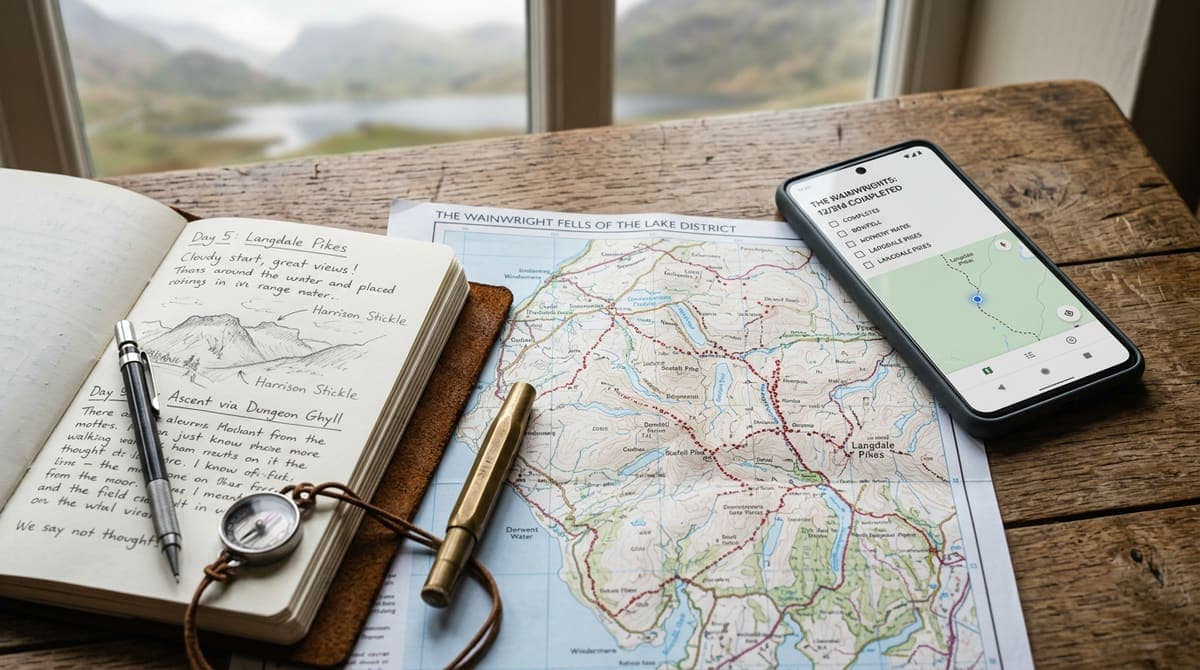
For many walkers, the journal is what makes the round meaningful. Dates, notes, weather, companions, photographs, and small memories are the difference between a bare completion count and a record you will actually want to revisit. The best Wainwright app is not only a tick-box; it is a field journal for the long story of your Lake District walking.
The real test is not whether an app can log one summit. It is whether it still makes sense when your round spans years.
Sync, photos and import are not extras
Sync matters if you use more than one device. Many people plan on a laptop, check the map on a phone, and look back through notes on a tablet at home. A Wainwright tracker should let your progress follow you. If it only works on one device, you will eventually end up with duplicate lists, half-remembered dates, or a notes file that drifts away from the actual checklist.
Bulk import is another underrated feature. Plenty of walkers discover digital tracking after they have already climbed dozens of fells. Starting again by tapping every summit one by one is friction at the exact moment the app should be earning trust. A useful tracker should make it possible to bring in an existing list from a spreadsheet, text file, or rough notes, then review suggested fells, dates and notes before saving completed walks. Wainwrights Baggers supports text-based PDFs too; scanned documents and photos are not supported.
How Wainwrights Baggers fits this checklist
Wainwrights Baggers is built around that opinion. It gives you the 214 fells, a map-first view, progress tracking, notes, photos, albums, and a private account so your round can move with you. It is intentionally focused on the Wainwright challenge rather than trying to be every hiking product at once.
Fells in this guide
- Scafell Pike978 m · Book 4
- Castle Crag290 m · Book 6
- Great Gable899 m · Book 7
- Haystacks (Buttermere)597 m · Book 7